 Claude tutorial
Tutorial 08: Cowork Automation for Legal Tasks
Learn to automate contract review, document processing, and legal workflows using Claude's Cowork feature without writing code.
What You'll Learn
This tutorial shows you how to use Claude Cowork to automate legal tasks—batch NDA processing, contract comparison, due diligence extraction—without writing code. Claude works directly with your local files.
Learning Objectives
By the end of this tutorial, you will:
- Understand Cowork's agentic capabilities for legal automation
- Set up Cowork for contract review and document processing
- Build automated legal workflows without coding
- Create professional document outputs (Word, Excel, PowerPoint)
- Extract and process tabular data at scale
- Integrate Word track changes and comment generation
- Automate document organization and naming
- Execute batch translation workflows
- Manage client collaboration and approval workflows
Part 1: Understanding Cowork for Legal
What Is Cowork?
Cowork brings Claude Code's agentic capabilities to your desktop—no coding required. Instead of responding to one prompt at a time, Claude can:
- Execute multi-step tasks autonomously
- Work with your local files directly
- Generate polished professional documents
- Connect to external services via MCP
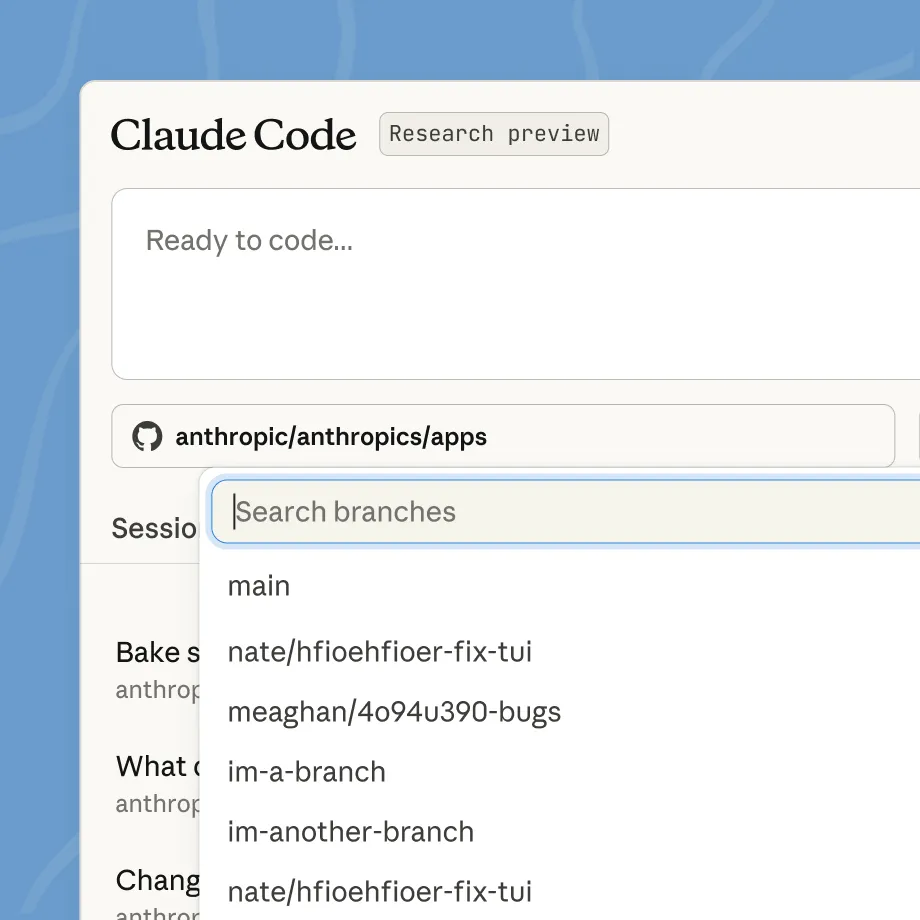
Official Claude screenshot from Claude Code. Treat browser-delegated work as unattended agent work: set scope, test commands, and a human approval gate before shipping.
Why Cowork Matters for Lawyers
| Traditional Claude | Cowork |
|---|---|
| Chat-based interaction | Task delegation |
| Manual file handling | Direct file access |
| One response at a time | Multi-step execution |
| Generic outputs | Professional documents |
Cowork vs. Harvey/Legora Automation
| Feature | Cowork | Harvey Workflows | Legora Workflows |
|---|---|---|---|
| Coding required | No | No | No |
| Customization | Unlimited | Template-based | Template-based |
| Document output | Word, Excel, PPT | PDF reports | Various |
| Local file access | Yes | Cloud only | Cloud only |
| Pricing model | Plan-based access (verify current plans) | Enterprise contracts | Enterprise contracts |
| Privacy | Local-first | Cloud | Cloud |
Part 2: Setting Up Cowork for Legal Work
Requirements
- Claude Desktop app on macOS (current research preview scope)
- Paid Claude plan (Pro, Max, Team, or Enterprise)
- Active internet connection throughout the session
Accessing Cowork
- Open Claude Desktop
- Switch from Chat mode to the Cowork tab
- Accept research preview terms (if prompted)
- Keep the desktop app open while tasks run
Configuring Your Legal Workspace
Step 1: Select Working Folder
Choose a folder for Claude to access:
- Your matter working folder
- Contract review staging area
- Template library
Step 2: Install Legal Plugin
If not already installed:
- Go to Plugins in Cowork
- Search "Legal"
- Click Install
Step 3: Configure Playbook
See Tutorial 06 for playbook configuration.
Cowork is in research preview. Don't use it for production-critical workflows requiring strict audit trails yet.
Part 3: Core Legal Automation Workflows
Workflow 1: Batch NDA Processing
Scenario: You receive 20 NDAs weekly. Automate triage and initial review.
Cowork Prompt:
What Cowork Does:
- Scans the NDA folder
- Opens each NDA and analyzes
- Categorizes based on playbook
- Creates organized Excel summary
- Moves files to correct folders
- Drafts email summary
Expected impact: Significant time reduction for repeatable workflows, depending on document quality, folder hygiene, and review standards.
Workflow 2: Contract Comparison Report
Scenario: Client wants to understand how competitor's terms compare to market.
Cowork Prompt:
Workflow 3: Due Diligence Document Processing
Scenario: M&A deal requires reviewing 200+ contracts in data room.
Cowork Prompt:
Workflow 4: Litigation Timeline Generation
Scenario: Prepare chronology from case documents for trial prep.
Cowork Prompt:
Part 4: Tabular Extraction & Portfolio Analytics
Portfolio-Wide Spreadsheet Generation
Scenario: You need a portfolio-wide analysis of all active contracts for risk management.
Cowork Prompt:
Advanced Extension - Legora Equivalent:
Part 5: Microsoft Word Integration Workflows
Track Changes & Redline Automation
Scenario: You need to redline a vendor's proposed contract with your standard terms.
Cowork Prompt:
What Cowork Does:
- Reads the vendor draft
- Compares to your template
- Creates tracked changes (visible red deletions/insertions)
- Adds detailed explanatory comments
- Generates professional memo
- Preserves formatting
Verification Checklist:
- All changes visible in track changes
- Comments are clear for negotiation
- Cover memo accurately reflects changes
- File ready to send to vendor
- Confidential info properly marked
Comment Generation for Collaborative Review
Scenario: Team members need to review a contract and document their feedback with Word comments.
Cowork Prompt:
Style Enforcement & Formatting
Scenario: Ensure all contract outputs follow firm standards.
Cowork Prompt:
Part 6: Document Organization & Automation
AI-Suggested Naming & Folder Cleanup
Scenario: Your document folder has thousands of files with inconsistent naming.
Cowork Prompt:
Duplicate Detection & Resolution
Scenario: Find and consolidate duplicate contracts taking up space and creating confusion.
Cowork Prompt:
Part 7: Batch Translation Workflow
Multi-Document Translation with Formatting Preservation
Scenario: You have contracts in English that need Spanish versions maintaining all formatting.
Cowork Prompt:
Always have qualified legal translators review AI-generated translations before execution or client delivery.
Advanced: Bilingual Document Generation:
Consistency Across Language Versions
Cowork Prompt:
Part 8: Client Collaboration Portal Equivalent
Secure Document Sharing Workflows
Scenario: Create organized client deliverables with proper documentation.
Cowork Prompt:
Status Update Generation
Scenario: Generate periodic client status updates from matter files.
Cowork Prompt:
Client-Facing Summary Creation
Scenario: Transform detailed analysis into client-friendly summaries.
Cowork Prompt:
Approval Workflow Automation
Scenario: Automate document approval tracking and escalation.
Cowork Prompt:
Part 9: Professional Document Generation
Word Documents
Cowork can generate professional Word documents with:
- Proper formatting
- Styles and headings
- Tables and charts
- Track changes (for redlines)
- Comments
Example: Contract Redline Request
Excel Spreadsheets
Cowork creates functional Excel files with:
- Working formulas
- Conditional formatting
- Multiple sheets
- Charts and graphs
- Data validation
Example: Contract Portfolio Analysis
PowerPoint Presentations
Cowork generates presentation-ready slides:
- Professional layouts
- Charts and visuals
- Speaker notes
- Consistent formatting
Example: Board Legal Update
Part 10: Automated Monitoring & Alerts
Setting Up Contract Expiration Monitoring
Cowork Prompt:
Regulatory Update Monitoring
Cowork Prompt:
Part 11: Integration with Legal Plugin
Combined Workflow Example
Part 12: Best Practices for Cowork Legal Automation
Do's
- Do start with small batches to test workflows
- Do review all outputs before sending/filing
- Do maintain organized folder structures
- Do back up important documents before processing
- Do document your workflows for team replication
Don'ts
- Don't automate privileged analysis without controls
- Don't rely on Cowork for final legal conclusions
- Don't process client documents without proper security
- Don't skip verification of extracted data
- Don't use for regulated workflows without compliance review
Quality Control Checklist
For every Cowork-generated deliverable:
- Spot-check extracted data against source
- Verify document formatting is correct
- Review any legal conclusions
- Check privilege/confidentiality handling
- Confirm file saved to correct location
- Test any Excel formulas
- Review before client/counterparty sharing
Part 13: Limitations and Workarounds
Current Cowork Limitations
| Limitation | Workaround |
|---|---|
| Desktop for macOS only (current preview) | Verify release notes before planning cross-platform rollout |
| Research preview risk profile | Use approval checkpoints and human review before external sharing |
| No projects support in Cowork | Organize work by folder and task-specific runs |
| No memory across Cowork sessions | Include matter context in each new run |
| Not captured in Audit Logs/Compliance API/Data Exports | Do not use for regulated workflows requiring those controls |
| App must stay open during runs | Prevent sleep/closure during long tasks |
| File size limits | Split large documents |
| Complex formatting | May need manual polish |
When to Use Traditional Approach Instead
- Highly confidential matters (privilege concerns)
- Regulated workflows requiring audit trails
- Complex formatting requirements
- When human judgment is critical
- One-off tasks that don't justify setup
Do This Now
- Set up Cowork on your Mac and create a working folder for legal documents
- Process a batch of 5–10 documents (e.g., NDAs or contracts) with Cowork
- Generate one professional document (Word, Excel, or PowerPoint)
- Extract tabular data from documents into Excel
- Create a track-changes document with comments for one contract
Related family pages
Navigation
Quick Reference: Cowork Command Patterns
Batch Processing
Report Generation
Tabular Extraction
Track Changes & Comments
Translation Workflow
Client Collaboration
Sources
- Getting Started with Cowork
- Cowork Research Preview
- Cowork Plugins
- Claude Pricing
- Using Cowork Safely
- Cowork for Team and Enterprise Plans