 Claude tutorial
Tutorial 09: Custom Legal Skills, Hooks & Agents
Build custom skills for your firm's workflows, create compliance hooks, and deploy multi-agent systems for complex legal tasks.
What You'll Learn
This tutorial shows you how to build custom legal skills, add safety checks (hooks), and run multi-agent workflows. Some technical comfort is required.
Expert Level
Developer skills recommended. Estimated time: 120 minutes.
Learning Objectives
By the end of this tutorial, you will:
- Understand Claude Code's architecture (Skills, Hooks, Sub-agents)
- Build custom legal skills for your firm's workflows
- Create hooks for quality control and compliance
- Deploy multi-agent systems for complex legal tasks
Part 1: Understanding the Claude Code Stack
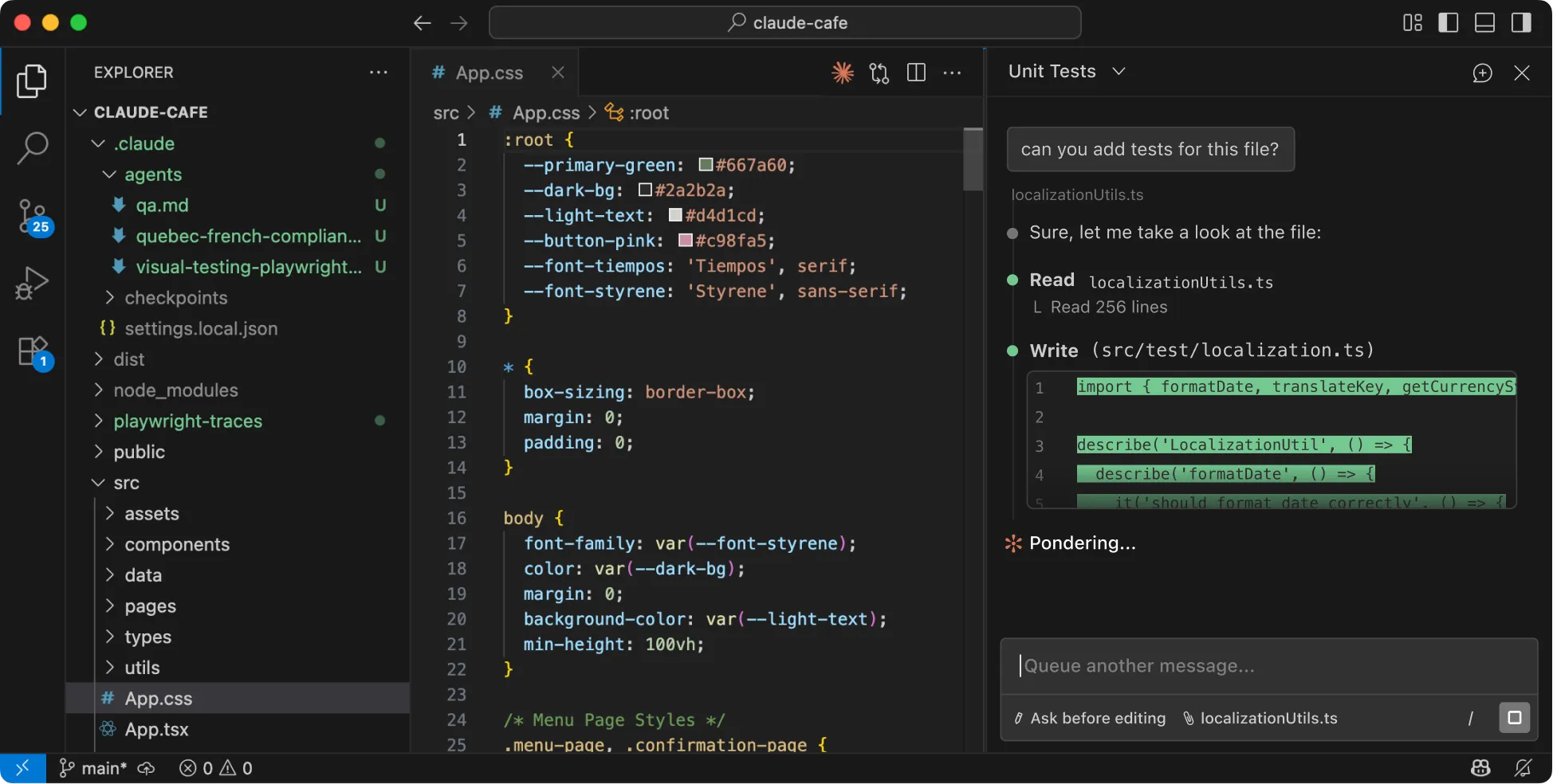
Official Claude screenshot from Claude Code. For legal workflow repositories, pair Claude Code tasks with permission boundaries, hook checks, and reviewable diffs.
Architecture Overview
Why This Matters for Legal
| Component | Legal Application |
|---|---|
| Skills | Encode playbooks, review procedures, drafting standards |
| Hooks | Enforce compliance, prevent unauthorized actions, audit logging |
| Sub-agents | Parallelize document review, research tasks |
| Plugins | Package firm workflows for distribution |
Contrôle source Claude Code 2.1.178
Claude Code 2.1.178 ajoute des règles de permission Tool(param:value), le chargement imbriqué de .claude/skills, la priorité du répertoire le plus proche pour les agents imbriqués, les workflows, les styles de sortie et les sauvegardes de workflow de projet, une revue du classificateur auto-mode avant les lancements de subagents, ainsi que des correctifs pour les spécifications MCP au niveau serveur dans disallowedTools des subagents. Pour les dépôts juridiques, retestez les règles d'outils à portée paramètre, la priorité des skills imbriqués, la revue de lancement des subagents, les règles deny MCP et les paramètres de projet importés avant d'autoriser des agents non supervisés à travailler sur des dossiers contenant des données client.
Contrôle des sources Claude Code 2.1.179
Claude Code 2.1.179 corrige les coupures de connexion en cours de réponse pour préserver les sorties partielles, l'expansion des globs denyRead/allowRead du sandbox Linux sur de grands arbres de répertoires, le statut des tâches en arrière-plan des sessions distantes, les problèmes de transcript/focus des subagents, ainsi que la performance de chargement des plugins distants. La Claude Code Action allowlistée passe aussi à 2.1.179. Pour les dépôts juridiques, re-testez les audit trails de sorties partielles, les règles de lecture sandbox sur grands répertoires, le statut des background tasks, la revue des transcripts de subagents, l'inventaire des plugins distants et la version épinglée de l'action avant d'autoriser des workflows non supervisés sur des dépôts avec données client.
June 2026 source check
Claude Code 2.1.143/2.1.144 added plugin, worktree, background-session, MCP, remote-login, headless Skill, and Windows reliability updates. June 2026 allowlisted Claude Code Action commits also moved workload identity federation support into the base action, bumped Claude Code to 2.1.175, preserved inherited auth environment variables when action inputs are empty, and broke SDK iteration after terminal result messages so pull-request workflows do not wait until timeout after Claude has finished. For legal automations, retest plugin dependency chains, worktree isolation, hook stop behavior, MCP tool inventory, background-session defaults, remote-login policy, GitHub OIDC permissions, federation-rule ownership, service-account scope, credential precedence, workflow timeout handling, and Windows PowerShell policy before production use.
June 2026 source check
Claude Code 2.1.163 adds managed minimum and maximum version settings, /plugin list filters, hook continuation context for Stop and SubagentStop hooks, consistent CLAUDE_CODE_SESSION_ID propagation for stdio MCP servers on --resume, and fixes for managed permission rules, Bedrock/Vertex/Foundry headless auth, background sessions, Windows shells, and home-directory deny rules. Claude Code 2.1.165 is a reliability release. For legal automations, pin allowed versions, audit enabled plugins before matter work, retest hook continuation behavior, and confirm MCP/session IDs and deny rules before unattended client-data workflows.
Claude Action allowed-tools parser check
June 2026 allowlisted Claude Code Action commits fixed claude_args parsing so unquoted scoped Bash rules such as Bash(gh:*) are not widened into broader Bash access, and so MCP server installation follows the same parsed --allowedTools grants that the SDK uses when multiple values or commented lines appear. For legal repositories, quote scoped tool rules, remove commented-out grants from action arguments, pin the action version, and compare installed MCP servers against the exact granted tools before workflows touch client-data repositories.
Verificación de fuente de Claude Code 2.1.178
Claude Code 2.1.178 añade reglas de permisos Tool(param:value), carga anidada de .claude/skills, precedencia del directorio más cercano para agentes anidados, workflows, estilos de salida y guardados de workflows del proyecto, revisión del clasificador auto-mode antes de lanzar subagentes y correcciones para especificaciones MCP a nivel de servidor en disallowedTools de subagentes. Para repositorios jurídicos, vuelva a probar reglas de herramientas con alcance por parámetro, precedencia de skills anidados, revisión del lanzamiento de subagentes, reglas deny de MCP y ajustes de proyecto importados antes de permitir que agentes no supervisados trabajen en carpetas con datos de clientes.
Verificación de fuentes de Claude Code 2.1.179
Claude Code 2.1.179 corrige cortes de conexión a mitad de respuesta para preservar salidas parciales, la expansión de globs denyRead/allowRead del sandbox Linux sobre árboles de directorios grandes, el estado de background tasks en sesiones remotas, problemas de transcript/foco de subagents y el rendimiento de carga de plugins remotos. La Claude Code Action allowlisted también sube a 2.1.179. Para repositorios jurídicos, vuelva a probar audit trails de salidas parciales, reglas de lectura sandbox sobre árboles grandes, estado de background tasks, revisión de transcripts de subagents, inventario de plugins remotos y la versión fijada de la action antes de permitir workflows no supervisados sobre repositorios con datos de clientes.
Claude Code 2.1.178 ソース確認
Claude Code 2.1.178 では、Tool(param:value) 権限ルール、ネストした .claude/skills の読み込み、ネストした agents・workflows・output styles・project workflow 保存に対する最も近いディレクトリ優先、subagent 起動前の auto-mode classifier review、そして subagent disallowedTools におけるサーバーレベル MCP 仕様の修正が追加されました。法務リポジトリでは、unattended agents を client-data フォルダで動かす前に、parameter-scoped tool rules、nested skill precedence、subagent launch review、MCP deny rules、imported project settings を再確認してください。
Claude Code 2.1.179 ソース確認
Claude Code 2.1.179 は、応答途中の接続切断を修正して partial responses を保持し、Linux sandbox の denyRead/allowRead glob expansion が大規模ディレクトリツリーでも適切に動作するようにし、remote-session background-task status、subagent transcript/focus issues、remote plugin-loading performance も修正しました。Allowlisted な Claude Code Action も 2.1.179 に更新されています。法務リポジトリでは、partial-output audit trails、大規模 sandbox file rules、background-task status、subagent transcript review、remote plugin inventory、pinned action version を、client-data repositories に対して無監督 workflow を許可する前に再テストしてください。
Claude Code 2.1.178 Quellencheck
Claude Code 2.1.178 ergänzt Tool(param:value)-Berechtigungsregeln, verschachteltes Laden von .claude/skills, Priorität des nächstgelegenen Verzeichnisses für verschachtelte Agents, Workflows, Ausgabestile und gespeicherte Projekt-Workflows, eine Auto-Mode-Klassifizierungsprüfung vor dem Start von Subagents sowie Korrekturen für MCP-Spezifikationen auf Serverebene in Subagent-disallowedTools. Für juristische Repositories sollten Sie parameterbezogene Tool-Regeln, die Priorität verschachtelter Skills, die Prüfung von Subagent-Starts, MCP-Deny-Regeln und importierte Projekteinstellungen erneut testen, bevor unbeaufsichtigte Agents auf Ordner mit Mandantendaten zugreifen dürfen.
Claude Code 2.1.179 Quellencheck
Claude Code 2.1.179 behebt Verbindungsabbrüche mitten in der Antwort, damit Teilausgaben erhalten bleiben, die denyRead/allowRead-Glob-Expansion der Linux-Sandbox über große Verzeichnisbäume, den Background-Task-Status in Remote-Sessions, Subagent-Transcript-/Focus-Probleme sowie die Ladeperformance entfernter Plugins. Die allowlistete Claude Code Action wurde ebenfalls auf 2.1.179 angehoben. Für juristische Repositories sollten Sie Partial-Output-Audit-Trails, Sandbox-Leseregeln für große Verzeichnisbäume, Background-Task-Status, die Prüfung von Subagent-Transcripts, das Inventar entfernter Plugins und die gepinnte Action-Version erneut testen, bevor unbeaufsichtigte Workflows auf Repositories mit Mandantendaten zugreifen.
Έλεγχος πηγής Claude Code 2.1.178
Το Claude Code 2.1.178 προσθέτει κανόνες αδειών Tool(param:value), nested φόρτωση .claude/skills, προτεραιότητα του πλησιέστερου directory για nested agents, workflows, output styles και αποθηκεύσεις project workflow, auto-mode classifier review πριν από subagent spawns, και διορθώσεις για MCP server-level specs στα subagent disallowedTools. Για νομικά repositories, ξαναδοκιμάστε parameter-scoped tool rules, nested skill precedence, subagent launch review, MCP deny rules και imported project settings πριν επιτρέψετε σε unattended agents να δουλέψουν σε φακέλους με client data.
Έλεγχος πηγών Claude Code 2.1.179
Το Claude Code 2.1.179 διορθώνει mid-stream connection drops ώστε να διατηρούνται partial responses, την glob expansion των denyRead/allowRead του Linux sandbox σε μεγάλα directory trees, το remote-session background-task status, subagent transcript/focus issues και το remote plugin-loading performance. Το allowlisted Claude Code Action ανέβηκε επίσης σε 2.1.179. Για legal repositories, επαναδοκιμάστε partial-output audit trails, sandbox file rules σε μεγάλα trees, background-task status, subagent transcript review, remote plugin inventory και το pinned action version πριν επιτρέψετε unattended workflows σε repositories με client data.
Controllo fonte Claude Code 2.1.178
Claude Code 2.1.178 aggiunge regole di permesso Tool(param:value), caricamento annidato di .claude/skills, precedenza della directory più vicina per agent annidati, workflow, stili di output e salvataggi dei workflow di progetto, revisione del classificatore auto-mode prima dell'avvio dei subagent e correzioni per specifiche MCP a livello server nei disallowedTools dei subagent. Per i repository legali, ritestate regole degli strumenti con ambito per parametro, precedenza degli skill annidati, revisione del lancio dei subagent, regole deny MCP e impostazioni di progetto importate prima di consentire ad agent non supervisionati di lavorare su cartelle con dati cliente.
Controllo fonti Claude Code 2.1.179
Claude Code 2.1.179 corregge le interruzioni di connessione a metà risposta per preservare gli output parziali, l'espansione dei glob denyRead/allowRead del sandbox Linux su grandi alberi di directory, lo stato dei background task nelle sessioni remote, i problemi di transcript/focus dei subagent e le performance di caricamento dei plugin remoti. Anche la Claude Code Action allowlisted passa a 2.1.179. Per i repository legali, ritestate audit trail degli output parziali, sandbox file rules su alberi grandi, stato dei background task, review dei transcript dei subagent, inventario dei plugin remoti e la versione fissata della action prima di consentire workflow unattended su repository con dati cliente.
Claude Code 2.1.178 broncontrole
Claude Code 2.1.178 voegt Tool(param:value)-machtigingsregels toe, genest laden van .claude/skills, voorrang van de dichtstbijzijnde map voor geneste agents, workflows, outputstijlen en opgeslagen projectworkflows, auto-mode classifier review vóór subagent-spawns en fixes voor MCP-specificaties op serverniveau in subagent-disallowedTools. Test voor juridische repositories parametergebonden toolregels, voorrang van geneste skills, review van subagent-starts, MCP-denyregels en geïmporteerde projectinstellingen opnieuw voordat onbeheerde agents in mappen met cliëntdata mogen werken.
Claude Code 2.1.179 broncontrole
Claude Code 2.1.179 verhelpt verbindingsuitval midden in een antwoord zodat partial responses behouden blijven, de denyRead/allowRead-globexpansie van de Linux-sandbox over grote directorybomen, de background-taskstatus van remote sessions, subagent transcript-/focusproblemen en de laadsnelheid van remote plugins. De allowlisted Claude Code Action is ook verhoogd naar 2.1.179. Voor juridische repositories moet u partial-output-audittrails, sandbox file rules voor grote bomen, background-taskstatus, subagent-transcriptreview, remote plugin inventory en de gepinde action-versie opnieuw testen voordat onbeheerde workflows repositories met cliëntdata mogen aanraken.
Verificação de fonte do Claude Code 2.1.178
O Claude Code 2.1.178 adiciona regras de permissão Tool(param:value), carregamento aninhado de .claude/skills, precedência do diretório mais próximo para agents aninhados, workflows, estilos de saída e salvamentos de workflow do projeto, revisão do classificador auto-mode antes de subagent spawns e correções para especificações MCP em nível de servidor nos disallowedTools de subagentes. Para repositórios jurídicos, reteste regras de ferramenta com escopo por parâmetro, precedência de skills aninhados, revisão de lançamento de subagentes, regras deny de MCP e configurações de projeto importadas antes de permitir que agents não supervisionados trabalhem em pastas com dados de clientes.
Verificação de fontes do Claude Code 2.1.179
Claude Code 2.1.179 corrige quedas de conexão no meio da resposta para preservar saídas parciais, a expansão de glob denyRead/allowRead do sandbox Linux sobre árvores grandes de diretórios, o status de background tasks em sessões remotas, problemas de transcript/focus de subagentes e a performance de carregamento de plugins remotos. O Claude Code Action allowlisted também sobe para 2.1.179. Para repositórios jurídicos, reteste trilhas de auditoria de saída parcial, sandbox file rules em árvores grandes, status de background tasks, revisão de transcripts de subagentes, inventário de plugins remotos e a versão fixada da action antes de permitir workflows não supervisionados em repositórios com dados de clientes.
Claude Code 2.1.178 来源核查
Claude Code 2.1.178 增加了 Tool(param:value) 权限规则、嵌套 .claude/skills 加载、对嵌套 agents、workflows、output styles 和项目 workflow 保存采用最近目录优先级、在 subagent 启动前进行 auto-mode classifier review,以及修复 subagent disallowedTools 中服务器级 MCP 规范的问题。对于法律仓库,在允许 unattended agents 处理 client-data 文件夹之前,请重新测试 parameter-scoped tool rules、nested skill precedence、subagent launch review、MCP deny rules 和 imported project settings。
Claude Code 2.1.179 来源核查
Claude Code 2.1.179 修复了响应中途连接中断以保留 partial responses,修复了 Linux sandbox 在大型目录树上的 denyRead/allowRead glob expansion,改进了 remote-session background-task status,修复了 subagent transcript/focus issues,并提升了 remote plugin-loading performance。Allowlisted 的 Claude Code Action 也已升级到 2.1.179。对于法务仓库,请在允许无人值守 workflows 处理含客户数据的 repositories 之前,重新测试 partial-output audit trails、大型 sandbox file rules、background-task status、subagent transcript review、remote plugin inventory,以及固定的 action version。
Claude Code 2.1.178 source check
Claude Code 2.1.178 adds Tool(param:value) permission rules, nested .claude/skills loading, closest-directory precedence for nested agents, workflows, output styles, and project workflow saves, auto-mode classifier review before subagent spawns, and fixes for MCP server-level specs in subagent disallowedTools. For legal repositories, retest parameter-scoped tool rules, nested skill precedence, subagent launch review, MCP deny rules, and imported project settings before allowing unattended agents to work on client-data folders.
Claude Code 2.1.179 source check
Claude Code 2.1.179 fixes mid-stream connection drops so partial responses are preserved, Linux sandbox denyRead/allowRead glob expansion over large directory trees, remote-session background-task status, subagent transcript/focus issues, and remote plugin-loading performance. The allowlisted Claude Code Action also bumped to 2.1.179. For legal repositories, retest partial-output audit trails, large sandbox file rules, background-task status, subagent transcript review, remote plugin inventory, and the pinned action version before allowing unattended workflows to touch client-data repositories.
Claude Code 2.1.181 source check
Claude Code 2.1.181 adds /config key=value, an opt-in sandbox.allowAppleEvents setting for sandboxed macOS Apple Events, CLAUDE_CLIENT_PRESENCE_FILE, improved retry behavior for API connection drops during thinking, safer Write/Edit behavior on network drives and cloud-synced folders, MCP tools/list failure visibility, and multiple background-session, subagent, Remote Control, clipboard, settings, and timezone fixes. The allowlisted Claude Code Action also bumped its bundled Claude Code and Claude Agent SDK defaults to 2.1.181/0.3.181. For legal repositories, retest managed settings changes, macOS automation permissions, cloud-folder file-write behavior, MCP health checks, background-session history retention, subagent depth controls, and GitHub Action version pins before unattended workflows touch client-data folders.
Claude Code 2.1.183 source check
Claude Code 2.1.183 tightens auto-mode safety by blocking destructive git and infrastructure-destroy commands that were not requested, warns when a requested model is deprecated or auto-updated, adds an attribution.sessionUrl setting for commit and PR attribution, fixes scheduled task and webhook trigger delivery classification so those triggers cannot approve pending actions, and fixes MCP auth-stub tool exposure in headless and SDK mode. The allowlisted Claude Code Action also bumped its bundled Claude Code and Agent SDK defaults to 2.1.183/0.3.183. For legal repositories, retest destructive-command review gates, webhook and scheduled-task approval boundaries, model-retirement warnings, PR attribution policy, MCP authentication exposure, and version pins before unattended workflows touch client-data folders.
Claude Code 2.1.187 source check
Claude Code 2.1.187 adds sandbox.credentials for blocking sandboxed commands from credential files and secret environment variables, applies organization-configured model restrictions in the model picker and CLI model inputs, fixes structured-output loops, adds remote MCP idle-timeout failure behavior, improves subagent depth tracking and leaked worktree cleanup, and makes GitHub Actions workflow setup optional in /install-github-app. The allowlisted Claude Code Action also bumped its bundled Claude Code and Agent SDK defaults to 2.1.187/0.3.187. For legal repositories, retest credential blocking, org model policy, schema-bound outputs, remote MCP timeout handling, subagent depth caps, worktree cleanup, GitHub App install choices, and pinned action versions before unattended workflows touch client-data folders.
Claude Code 2.1.191 source check
Claude Code 2.1.191 fixes managed settings refresh behavior, remembers sandbox network hosts allowed for the current session, retries transient MCP capability-discovery and OAuth requests, improves MCP 404 diagnostics, and prevents stopped background agents from resurrecting. The allowlisted Claude Code Action also bumped its bundled Claude Code and Agent SDK defaults to 2.1.191/0.3.191. For legal repositories, retest MDM/file policy refresh, sandbox network approvals, MCP health checks, OAuth recovery paths, background-agent stop behavior, and GitHub Action version pins before unattended workflows touch client-data folders.
Claude Code 2.1.193 source check
Claude Code 2.1.193 adds autoMode.classifyAllShell, records auto-mode denial reasons in transcripts and UI, emits an assistant-response OpenTelemetry event, shows MCP authentication startup notices, reaps background shell processes under memory pressure, fixes background-agent behavior, automatically reconnects MCP headersHelper after 401/403 responses, and handles plugin auto-renames. The allowlisted Claude Code Action also bumped its bundled Claude Code and Agent SDK defaults to 2.1.193/0.3.193. For legal repositories, retest shell-command classification, denial-log retention, telemetry export scope, MCP authentication recovery, background process cleanup, plugin inventory drift, and pinned GitHub Action versions before unattended agents touch client-data folders.
Claude Code 2.1.195 source check
Claude Code 2.1.195 adds CLAUDE_CODE_DISABLE_MOUSE_CLICKS, exact matching for hyphenated hook and MCP tool identifiers, macOS and CJK voice-dictation fixes, stricter explicit-install consent for project-enabled external plugins, /plugin enable/disable fixes when package and marketplace names differ, background-agent persistence and restart fixes, better Linux voice-mode diagnostics, denser claude agents completed-session lists, and a remote-session provisioning checklist. The allowlisted Claude Code Action also bumped its bundled Claude Code and Agent SDK defaults to 2.1.195/0.3.195. For legal repositories, retest hook matchers such as code-reviewer and mcp__brave-search, plugin consent paths, background-agent recovery, remote startup runbooks, terminal mouse policy, and pinned GitHub Action versions before unattended agents touch client-data folders.
Claude Action PR review filtering
An allowlisted June 2026 Claude Code Action commit filters pull-request reviews and inline review comments to the authorized trigger time, matching the existing trigger-time filtering for issue/PR comments and bodies. For legal PR agents, pin a version that includes the fix, treat review threads added after the trigger as untrusted reference context, keep checkout credentials non-persistent, and require human merge review before agent-authored changes reach client-data repositories.
Claude Code 2.1.139 update
Claude Code 2.1.139 adds agent view, /goal, direct hook argument execution with args, PostToolUse continuation with continueOnBlock, MCP CLAUDE_PROJECT_DIR environment support, and subagent telemetry headers. For legal workflows, retest privileged-folder hooks, MCP server configs, and goal-driven unattended sessions in a sandbox before using them on client or privileged material.
Part 2: Building Custom Legal Skills
What Are Skills?
Skills are specialized instructions stored in files that Claude reads based on context. Unlike prompts (one-time), Skills persist and activate automatically.
Skill File Structure
Creating a Contract Review Skill
Step 1: Create Skill Directory
Step 2: Write SKILL.md
Step 3: Create Playbook Resource
resources/playbook.json:
Step 4: Create Clause Library
resources/clause-library.md:
Step 5: Install and Test
Part 3: Building Compliance Hooks
What Are Hooks?
Hooks are scripts that execute at specific points in Claude's operation:
Production note: Hooks can block or alter a workflow. Test them in a sandbox with the real permissions, effort levels, and MCP servers before using them on client matters or privileged documents.
Claude Code 2.1.139 adds an exec-form hook args field and continueOnBlock for PostToolUse. Prefer exec-form arguments for hooks that receive file paths or matter identifiers because they avoid shell quoting issues. Use continueOnBlock only when the hook's rejection reason is safe to feed back into the model and does not reveal privileged or confidential facts.
| Hook Type | Trigger Point | Use Case |
|---|---|---|
PreToolUse | Before any tool runs | Block dangerous actions |
PostToolUse | After tool completes | Audit logging |
SessionStart | When session begins | Load context |
UserPromptSubmit | Before prompt processing | Filter content |
Stop | When Claude finishes responding | Quality checks |
Claude Code 2.1.141 hook updates
Claude Code 2.1.141 adds a terminalSequence field to hook JSON output for desktop notifications, window titles, and bells without a controlling terminal. It also fixes hook transcript paths after EnterWorktree changes the working directory. For legal workflows, keep hook output limited to non-confidential status signals, retest transcript-path assumptions, and avoid putting matter names or privileged facts into terminal titles or notifications.
Legal Compliance Hook Example
Purpose: Prevent Claude from making unauthorized changes to privileged documents.
Step 1: Create Hook Directory
Step 2: Create Hook Scripts
~/.claude/hooks/pretool-privileged-guard.sh:
~/.claude/hooks/posttool-audit-log.sh:
Step 3: Configure Hook
~/.claude/settings.json:
Additional Hook Use Cases
Citation Verification Hook (Stop):
Confidentiality Check Hook:
Part 4: Multi-Agent Legal Workflows
Understanding Sub-Agents
Claude can spawn sub-agents to handle specific tasks:
- Parallelization: Multiple documents reviewed simultaneously
- Specialization: Different agents for different tasks
- Isolation: Separate context for separate analyses
Claude Code 2.1.141 adds claude agents --cwd <path> to scope the session list to a directory, and background agents launched with /bg or ←← now preserve the current permission mode. Use the directory scope when auditing agents tied to a matter workspace, and verify background sessions keep the intended permission posture before assigning privileged-document or repository-writing tasks.
Example: Parallel Due Diligence Review
Example: Research + Draft Workflow
Part 5: Packaging Skills into Plugins
Plugin Structure
Plugin Manifest
Plugin metadata and schema evolve quickly. Use the official plugins reference for the current manifest format, then map your legal assets into that structure.
Minimal hooks/hooks.json example:
Installing and Distributing
For environments without a GitHub SSH key, Claude Code 2.1.141 adds CLAUDE_CODE_PLUGIN_PREFER_HTTPS so GitHub plugin sources can be cloned over HTTPS. Enterprise teams using workload identity federation can also set ANTHROPIC_WORKSPACE_ID to scope minted tokens to a specific workspace when the federation rule covers more than one workspace.
Part 6: Security Considerations
Skill Security
- Source verification: Only install skills from trusted sources
- Code review: Review all hook code before deployment
- No client data: Never include client data in skill files
- Version control: Track changes to skills
- Access control: Limit who can modify firm skills
Data Protection
Compliance Requirements
- Skills reviewed by IT security
- Hooks tested in sandbox environment
- Audit logging enabled
- Client data segregation verified
- Access controls configured
- Backup procedures documented
Do This Now
- Create a custom skill for one of your firm's review processes
- Add at least one safety check (hook) for compliance or audit logging
- Test a multi-agent workflow for parallel document processing
- Document your skill so your team can use it
- Consider packaging as a plugin for distribution
Related family pages
Navigation
Quick Reference: Claude Code Commands
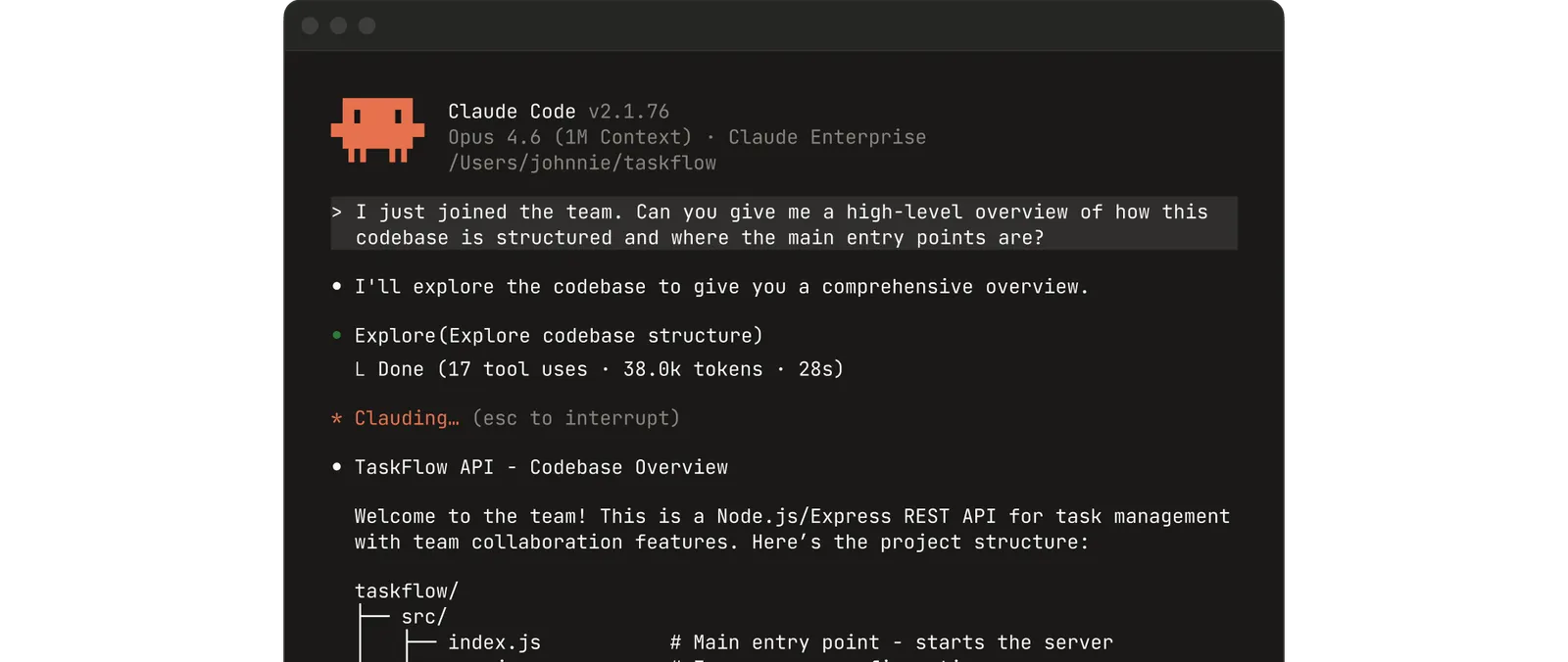
Official Claude screenshot from Claude Code. Terminal workflows should be paired with scoped folders, explicit permission modes, and a reviewable diff before legal workflow changes are accepted.
Sources
- Agent Skills Overview (Claude Docs)
- Agent Skills Quickstart (Claude Docs)
- Agent Skills Best Practices (Claude Docs)
- Use Skills in Claude Code
- Hooks Reference (Claude Code Docs)
- Create custom subagents (Claude Code Docs)
- Connect Claude Code to tools via MCP
- Plugins Reference (Claude Code Docs)