How Lawyers Can Use Codex
A practical guide to supervising Codex for legal technology, document automation, and law firm operations work.
What changed since this was writtenLatest check: Jun 25, 2026 · 10
- Codex Remote GA and Claude controls
OpenAI's June 25 Codex changelog says Codex Remote has reached general availability for starting or continuing work from the ChatGPT mobile app on a connected Mac or Windows host, with authenticated one-to-one QR pairing for each mobile device and host. Codex CLI 0.142.2 also makes MCP tools use tool search by default when supported, adds system-proxy support for macOS authentication clients when enabled, adds dark-mode plugin logos, improves safety-buffering UI, and fixes remote plugin catalogs, expired Bedrock credential guidance, and remote stdio MCP working directories. Claude Code 2.1.193 adds
autoMode.classifyAllShell, auto-mode denial reasons in transcripts and UI, an assistant-response OpenTelemetry event, MCP-auth startup notices, background-shell memory-pressure reaping, background-agent fixes, automatic MCPheadersHelperreconnect after 401/403, and plugin auto-rename handling. The allowlisted Claude Code Action now bundles Claude Code 2.1.193 and Agent SDK 0.3.193.Recommended action: Retest mobile remote pairing, connected-host approval policy, DigitalOcean workspace provisioning, MCP tool-search behavior, macOS proxy authentication, plugin catalog and logo metadata, Bedrock credential recovery, remote stdio MCP path handling, Claude auto-mode shell classification, denial logging, OpenTelemetry export scope, MCP auth reconnects, background-agent cleanup, and pinned Claude Code Action versions before unattended legal repositories process client data.
Sources: OpenAI Codex changelog · Claude Code changelog · Claude Code Action 2.1.193 bump commit
- Codex app, remote execution, and Claude controls
OpenAI's June 18 Codex app 26.616 changelog adds Record & Replay for turning demonstrated macOS workflows into reusable skills, with initial availability excluding the EEA, UK, and Switzerland and requiring Computer Use, plus bulk automation run-history actions and Browser Use routing fixes. The June 18 Codex CLI 0.141.0 changelog adds authenticated end-to-end encrypted Noise relay channels for remote executors, preserves executor-native working directories and shells across app-server and exec-server boundaries, activates selected executor plugin stdio MCP servers per thread, improves app-server child-thread and rate-limit-credit APIs, adds TUI prompt auto-resolution, and fixes hook, plugin-routing, Windows sandbox, SQLite WAL-reset, and TLS enterprise-proxy reliability. Claude Code 2.1.181 adds
/config key=value, an opt-insandbox.allowAppleEventssetting, stronger API retry behavior, safer file writes on network/cloud-synced folders, MCP tools/list failure visibility. Claude Code 2.1.183 blocks destructive auto-mode commands that were not requested, adds deprecated-model warnings and session-link attribution controls, fixes scheduled task and webhook trigger classification so they cannot approve pending actions, fixes MCP auth-stub exposure in headless/SDK mode, and the allowlisted Claude Code Action now installs 2.1.183 by default.Recommended action: For legal teams, re-check Record & Replay capture scope, sensitive-screen exposure, Computer Use availability, automation run-history triage, remote executor trust, working-directory boundaries, shell policy, plugin-selected MCP servers, hook bypass decisions, destructive-command blocking, webhook/scheduled-task approval behavior, MCP auth-stub exposure, Windows sandbox credentials, SQLite-backed session stores, enterprise TLS inspection, Claude Apple Events permissions, cloud-folder file-write behavior, MCP health reporting, and GitHub Action version pins before unattended agents work on client-data repositories.
Sources: OpenAI Codex changelog · OpenAI Codex Record & Replay documentation · Claude Code changelog · Claude Code Action 2.1.181 bump commit · Claude Code Action 2.1.183 bump commit
- Codex regional rollout and Claude reliability fixes
OpenAI's June 16 Codex changelog says Computer Use, the Codex Chrome extension, Memories, and the Chronicle research preview are rolling out in the EEA, UK, and Switzerland, with Memories off by default in those regions. Claude Code 2.1.179 fixes mid-stream connection drops, large Linux sandbox read-rule glob expansion, remote-session background-task status, subagent transcript and focus issues, and remote plugin-loading performance; the allowlisted Claude Code Action also bumped to 2.1.179.
Recommended action: For legal teams in these regions, confirm user consent, device policy, Chrome signed-in context, memory defaults, Chronicle opt-in scope, sandbox file-rule behavior, partial-output audit trails, background-task status, subagent transcript review, and pinned Claude Action version before client-data workflows.
Sources: OpenAI Codex changelog · Claude Code changelog · Claude Code Action 2.1.179 bump commit
- Codex usage controls and Claude permission rules
OpenAI's June 15 Codex CLI 0.140.0 changelog adds
/usagetoken-activity views, permanent session deletion, Claude Code import, unified file/plugin/skill mentions, managed Bedrock API-key authentication, encrypted CLI/MCP OAuth credential storage, MCP startup and OAuth reliability fixes, and remote plugin installation fixes. Claude Code 2.1.178 adds parameter-scoped permission rules, nested.claude/skillsloading, closest-directory project settings precedence, auto-mode review for subagent spawns, and fixes for MCP subagentdisallowedTools.Recommended action: For legal teams, re-check token usage audit evidence, session-retention and deletion policy, imported Claude Code project settings, Bedrock/API credentials, OAuth storage, plugin provenance, nested skill precedence, parameter-scoped tool rules, subagent auto-mode review, and MCP deny rules before running repository agents on client-data systems.
Sources: OpenAI Codex changelog · Claude Code changelog · Claude Code Action 2.1.178 bump commit
- Codex browser debugging and Claude Action reliability
OpenAI's June 11 Codex app 26.609 changelog adds Developer mode for Browser use through Chrome DevTools Protocol access,
/initin the app composer, Computer Use expansion and Windows per-app access controls, usage-limit guidance, plugin management improvements, and a fix so scheduled automations honor the selected approval mode. Allowlisted Claude Code Action commits also bump Claude Code to 2.1.175, preserve inherited auth environment variables when inputs are empty, and stop SDK workflows from hanging after a terminal result message.Recommended action: For legal teams, re-check Browser Developer mode authorization, captured console/network data, Computer Use app scope, scheduled automation approval modes, plugin provenance, Claude Action credential precedence, and workflow timeout handling before running agents against client-data repositories.
Sources: OpenAI Codex changelog · Claude Code Action auth fallback commit · Claude Code Action SDK iterator commit · Claude Code Action 2.1.175 bump commit
- Codex Sites and Claude workflow identity controls
OpenAI's June 2 Codex changelog adds Sites preview in the Codex app, iOS Codex controls for Face ID or passcode lock, Queue versus Steer follow-up defaults, Windows SSH connections,
/side <prompt>, and host/task reliability fixes. The OpenAI API changelog also moves eligible container sessions to per-minute billing with a five-minute minimum, while an allowlisted Claude Code Action commit adds workload identity federation inputs to the base action and requires GitHub OIDC write permission for OIDC token exchange.Recommended action: For legal workflows, review hosted-site scope, environment variables and secrets, mobile device policy, Windows SSH trust, container-session cost controls, GitHub OIDC permissions, federation rule ownership, and static credential fallback before using Codex Sites or Claude Actions on client-data systems.
Sources: OpenAI Codex changelog · OpenAI API changelog · Claude Code Action workload identity federation commit
- Codex 0.132.0 and Secure MCP Tunnel controls
OpenAI's Codex 0.132.0 changelog adds Python SDK authentication, simpler text-only turn APIs, structured output support for resumed exec sessions, standard Codex auth for remote executors, and app-server image-fidelity preservation; the OpenAI API changelog also introduced Secure MCP Tunnel for account-led enterprise access to private MCP servers.
Recommended action: For legal automation, re-check SDK auth storage, resumed-session schemas, remote-executor identity, private MCP tunnel ownership, and human review before connecting privileged repositories or client-data systems.
Sources: OpenAI Codex changelog · OpenAI API changelog · OpenAI Secure MCP Tunnel guide
- Codex and Claude agent operations refreshed
Codex CLI 0.131.0 adds richer TUI controls, unified file/plugin/skill mentions, plugin marketplace commands, remote-control support, the
openai-codexPython SDK package, andcodex doctor; Claude Code 2.1.144 adds background-session resume support and fixes plugin, MCP, headless, remote-login, and background-agent reliability issues.Recommended action: For legal repositories, pin and test agent CLI versions before rollout; verify plugin dependency chains, MCP pagination/tool lists, remote-login policy, background-session isolation, Python SDK package names, and diagnostic output before unattended or client-data workflows.
Sources: OpenAI Codex changelog · Claude Code changelog
- Remote Codex and Claude agent controls for legal workflows
OpenAI's Codex changelog adds mobile remote access through a connected Mac plus hooks, access-token, and enterprise setup guidance, while Claude Code 2.1.143 tightens plugin, worktree, hook, background-session, and Windows behavior.
Recommended action: Before remote or background legal-agent work, confirm the trusted host, token scope, plugin dependency chain, worktree isolation mode, MCP settings, hook stop policy, and human review gate.
Sources: OpenAI Codex changelog · Claude Code release notes
- Codex Auto-review and repair-loop guidance for legal repositories
OpenAI expanded Codex Auto-review documentation and published Codex cookbook examples for iterative repair and agent-improvement loops using traces and evals.
Recommended action: Treat Auto-review as an additional approval signal, not legal sign-off; keep sandbox boundaries, eval criteria, source checks, and human diff review explicit.
Sources: Codex changelog · Codex Auto-review · Codex agent improvement loop cookbook · Codex iterative repair loop cookbook
How Lawyers Can Use Codex
Codex is useful for lawyers when the work is really software-shaped: document automation, clause-bank cleanup, legal ops dashboards, intake forms, contract review tools, research databases, or tests for a legal AI workflow.
Do not treat Codex as a lawyer. Treat it as a supervised coding agent that can inspect a repository, make proposed edits, run checks, and hand work back for review.
This page is educational workflow guidance. A qualified lawyer must review legal conclusions, client-facing language, and any change that affects professional obligations.
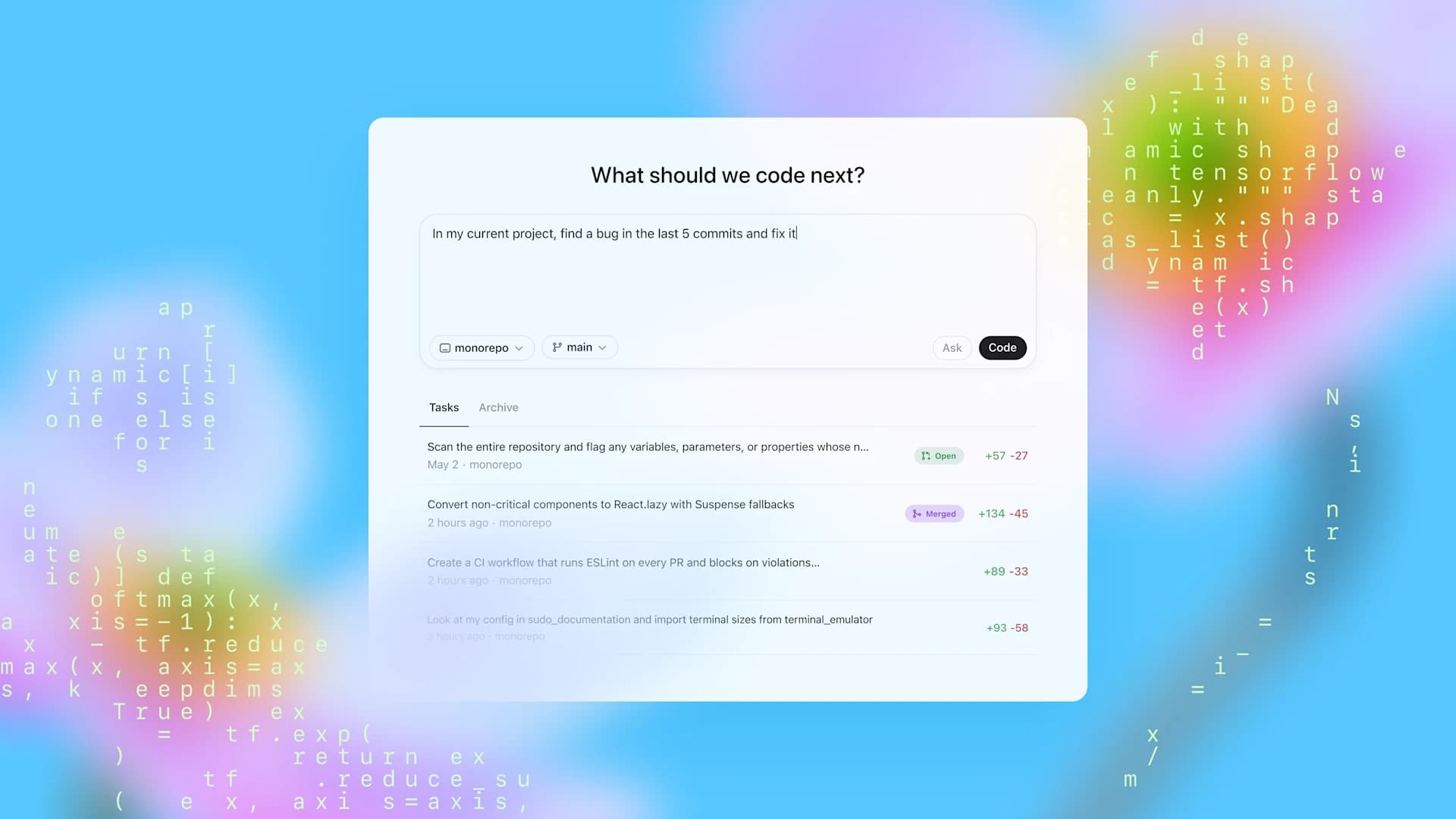
Official OpenAI screenshot from Introducing Codex. Use product screenshots for orientation only; rely on repository diffs, tests, and human review for legal workflow approval.
Best Legal Use Cases
Use Codex when the deliverable is a system, not a legal opinion:
- Build or update a legal intake form.
- Add a clause review checklist to an internal tool.
- Turn a precedent checklist into a structured YAML or JSON workflow.
- Write tests for a contract automation rule.
- Improve a legal AI knowledge-base site.
- Generate migration scripts for matter taxonomies.
- Review a pull request for privacy, privilege, or source-citation regressions.
Avoid Codex when the task is primarily legal judgment, such as deciding litigation strategy, signing off on a filing, or giving client advice.
Supervision Model
Use this sequence for every Codex task:
- Write the legal workflow objective in plain language.
- Identify files Codex may edit and files it may only read.
- State the client-data rule: no real client identifiers unless your approved environment allows them.
- Require source-backed claims for product, model, or legal-process assertions.
- Require tests or a narrow verification command.
- Review the diff, not only the final answer.
- Run the same checks yourself before merging or shipping.
June 2026 source check
OpenAI's Codex changelog now links mobile remote access through a connected Mac, Hooks general availability, Codex access tokens for trusted automation, Codex CLI 0.131.0/0.132.0 operational updates, June 2026 Codex app changes for Sites preview, Browser Developer mode, Computer Use controls, scheduled automation approval-mode fixes, plus a June 16 rollout of Computer Use, the Codex Chrome extension, Memories, and Chronicle in the EEA, UK, and Switzerland with Memories off by default in those regions, Codex app 26.616 Record & Replay for turning demonstrated macOS workflows into reusable skills, automation run-history bulk actions, Codex CLI 0.140.0 usage/session/credential controls, Codex CLI 0.141.0 changes for authenticated end-to-end encrypted Noise relay channels and executor-native working directories, and the June 25 Codex Remote general-availability and Codex CLI 0.142.2 updates. Codex Remote now supports starting or continuing work from the ChatGPT mobile app on a connected Mac or Windows host with authenticated one-to-one QR pairing for each mobile device and host. Codex CLI 0.142.2 makes MCP tools use tool search by default when supported, adds system-proxy support for macOS authentication clients when enabled, adds dark-mode plugin logos, improves safety-buffering UI, and fixes remote plugin catalogs, expired Bedrock credential guidance, and remote stdio MCP working directories. OpenAI's API changelog also introduced Secure MCP Tunnel for account-led enterprise access to private MCP servers and per-minute billing with a five-minute minimum for eligible container sessions. For legal workflow repositories, treat remote, hosted-site, private-MCP, browser-debugging, computer-use, imported-project, credential-storage, plugin, regional-memory, recorded-workflow, or unattended Codex work as a higher-control path: verify the connected host, mobile-device lock policy, QR pairing inventory, host lock-screen and remote-session rules, SSH trust boundary, hosted environment variables and secrets, Browser Developer mode authorization, captured console/network data, Computer Use app scope, regional consent and memory defaults, Chronicle opt-in scope, Record & Replay capture boundaries, sensitive-screen exposure, token usage audit evidence, deletion and retention policy, tunnel ownership, hook policy, plugin dependency chain, MCP tool-search inventory, selected MCP server inventory, SDK package/auth storage, OAuth storage, remote executor trust, working-directory boundaries, shell policy, SQLite-backed session stores, enterprise TLS inspection, container-session cost controls, edit boundaries, diagnostics, scheduled automation approval mode, automation run-history triage, and human review gate before allowing changes.
Start Here Learning Path
Follow this sequence before asking Codex to change a legal workflow repository:
- Codex fit check — Confirm the task is software-shaped: automation, structured data, tests, intake, dashboards, document systems, or repository maintenance.
- Agent vocabulary — Read Legal AI agents so MCP servers, tool permissions, hooks, subagents, and review gates are clear.
- Task brief — Use the workflow template library to write a concrete Codex brief with scope, edit boundaries, expected checks, and review output.
- Confidentiality boundary — Apply confidentiality and data handling before connecting repositories, documents, APIs, or MCP tools.
- Quality review — Use the quality-control checklist to inspect the diff, source claims, legal-risk language, tests, and escalation triggers.
- Freshness check — Review current updates for recent Codex, Claude, MCP, GitHub, and site-maintenance changes before relying on the workflow.
Copy-Ready Codex Brief
Review Gate
Before accepting Codex output, confirm:
- The diff matches the requested scope.
- No confidential facts, client names, or matter identifiers were added.
- No source URL was removed or weakened.
- Legal text remains jurisdiction-neutral unless a qualified reviewer intentionally scoped it.
- Tests, type checks, or content validators cover the changed surface.
- The final answer does not overstate what passed.
Auto-review is not legal sign-off
OpenAI's May 11, 2026 Codex changelog added expanded Auto-review documentation for reviewer lifecycle, trigger conditions, failure behavior, and sandbox interaction. Treat Auto-review as an additional approval signal for tool execution, not a legal review. For legal repositories, keep the sandbox boundary, approval profile, source checks, and human diff review explicit before relying on any Codex change.
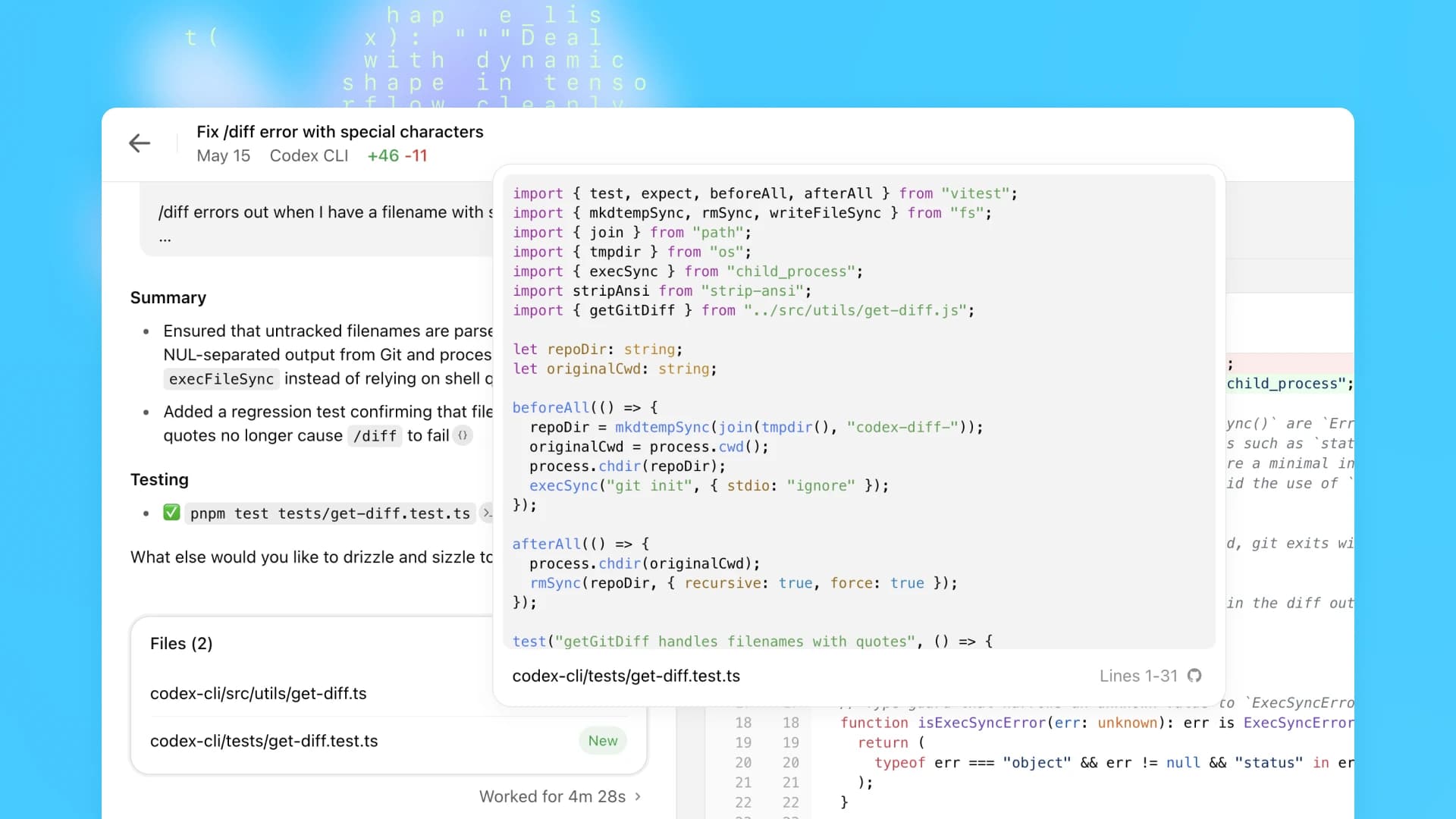
Official OpenAI screenshot from Introducing Codex. For legal repositories, screenshots are not evidence of correctness; the review record should include changed files, terminal output, tests, and the lawyer's approval notes.
Repository And Credential Safety
For repository maintenance, require Codex to work through a reviewable branch, worktree, or pull request. Do not accept direct pushes to legal workflow repositories unless your release process already allows them and the same tests, source checks, and human review have passed.
Before a repository agent edits or opens a pull request, run the repository's credential checks. When GitHub MCP-compatible secret scanning is available, treat it as a pre-commit and pre-PR control alongside repository push protection. Codex sandboxing and internet-access controls reduce blast radius, but they do not replace review of changed files, generated source claims, or exposed credentials.
If you adopt Codex repair loops or agent-improvement loops from the OpenAI Cookbook, define the evaluation criteria before the loop runs. For legal workflow code, the loop should fail closed when source coverage, confidentiality checks, citation handling, or human-review requirements are not satisfied.
Example Workflow: Contract Automation Rule
Input to Codex:
Expected Codex output:
- A schema-compliant rule.
- Two focused fixtures or tests.
- A short note explaining the trigger.
- A check result showing the rule tests pass.
Lawyer review:
- Confirm the rule is a triage flag, not a conclusion that the clause is unacceptable.
- Confirm the output tells reviewers to inspect the full agreement.
- Confirm the rule does not imply a universal market standard.
When To Use Codex Cloud Or Local Codex
Use a cloud task when you need background work on a repository and your organization has approved the connected account, repository scope, and data controls.
Use a local workflow when source code should stay on the machine where the CLI or app is running, subject to the tool's configured approvals and your organization's policy.
For internet access, default to narrow allowlists. Official OpenAI Codex guidance warns that agent internet access can introduce prompt injection, exfiltration, malware, vulnerability, and license risks. Legal teams should treat internet-enabled agent work as a higher-risk mode.