 Claude tutorial
Tutorial 01: Legal AI for Legal Professionals Overview
Learn the shared legal workflow model and how Claude and OpenAI implementation tracks map to it.
Claude for Legal Professionals Overview
Introduction
This tutorial series teaches legal professionals how to use Claude in day-to-day legal workflows with practical guardrails.
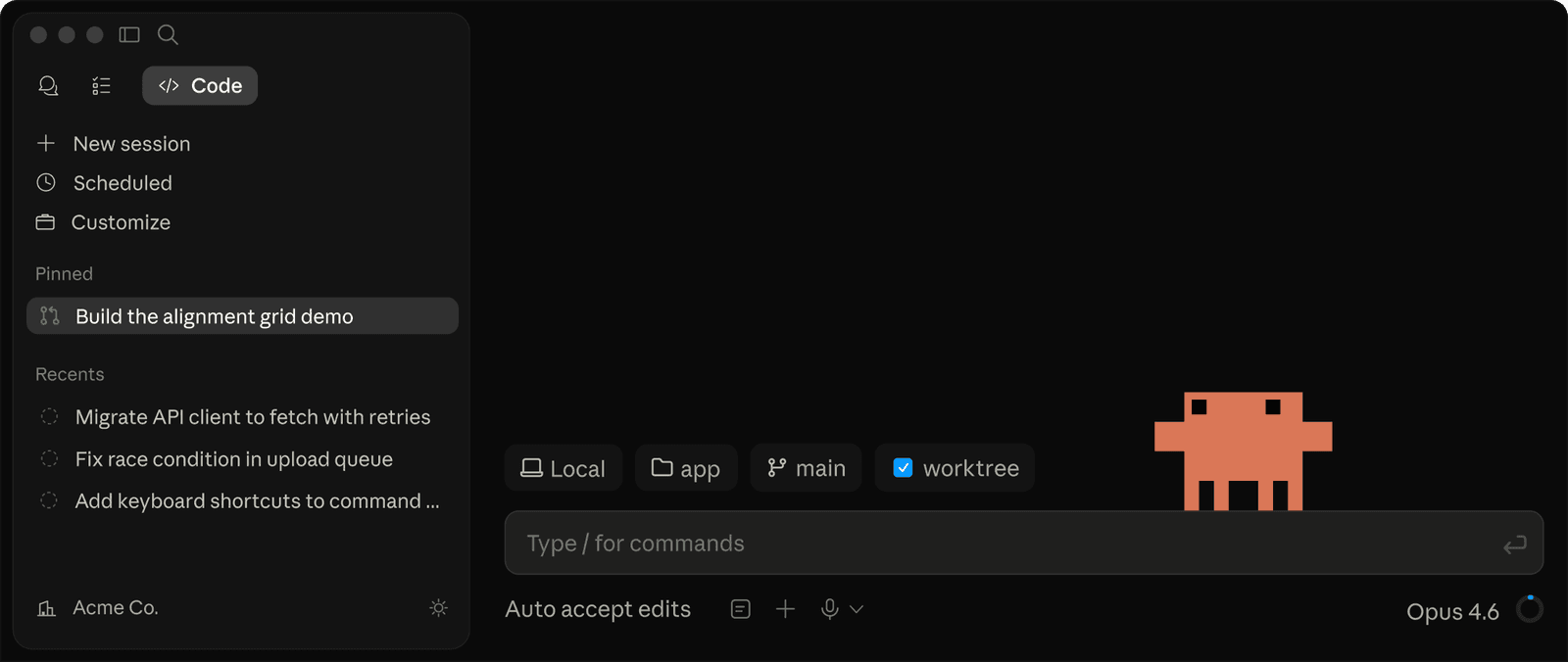
Official Claude screenshot from Claude Code. For legal teams, use this as product orientation only: matter data, repository access, and final work product still need policy-controlled setup and attorney review.
What Makes Claude Different:
- Flexibility: Works across any legal task, not locked into predefined workflows
- Customizability: Create your own playbooks, skills, and automations
- Cost-Effectiveness: Pro plan at ~$20/month vs. $1,000+/month for enterprise legal AI
- Integration Ecosystem: Connect to 400+ tools via MCP (Model Context Protocol)
- Local-First Option: Cowork runs on your desktop, keeping sensitive data local
What Claude Can Do for Lawyers (Verified)
Legal Plugin Workflows
The Legal plugin page documents legal workflows and commands such as:
/review-contractfor clause-by-clause review with risk flags and redline suggestions/triage-ndafor NDA screening workflows/vendor-check,/brief, and/respondfor common legal operations
All outputs should be reviewed by licensed attorneys. The Legal plugin page states this directly.
Skills for Repeatable Legal Work
Skills are a good fit when legal work is repeatable and standards-driven.
Use Skills when you need:
- consistent drafting style across matters
- standard clause review checklists
- repeatable QA and escalation triggers
- team-specific playbooks for known matter types
Do not create a Skill too early for one-off tasks. Start with normal prompts, and promote to a Skill only when a workflow repeats and quality criteria are clear.
Browse the Legal AI Skills hub for official Claude for Legal plugins, OpenAI Codex skills, and downloadable starter bundles before diving into the general Anthropic Skills repository.
MCP Integrations
MCP (Model Context Protocol) is an open standard introduced by Anthropic to connect AI assistants to external systems and data sources. This is the integration pattern referenced throughout later tutorials.
Plan and Product Context (Verified)
Claude Plans
- Free, Pro, Max, Team, and Enterprise plans are listed on the official pricing page.
- Pro is listed as
$20/monthif billed monthly (with annual discount options).
Pricing and features change. Always verify current details at the official pricing page before internal recommendations.
Developer and Learning Resources
Anthropic publishes official resources for implementation and prompt quality:
- Claude API docs (
platform.claude.com/docs/en/home) - Claude Quickstarts (
github.com/anthropics/claude-quickstarts) - Skills repo (
github.com/anthropics/skills) - Claude Cookbooks (
github.com/anthropics/claude-cookbooks) - Anthropic Courses (
github.com/anthropics/courses) - Prompt Engineering Interactive Tutorial (
github.com/anthropics/prompt-eng-interactive-tutorial)
Do not rely on unsourced feature claims. In this guide, we either link to official docs or clearly label statements as examples.
Tutorial Series Structure
This series is organized into four difficulty levels:
Beginner (Tutorials 02-04)
No technical skills required
- Getting started with Claude for legal work
- Basic document analysis and drafting
- Using Claude Projects for matter management
Intermediate (Tutorials 05-07)
Basic familiarity with Claude required
- Building custom negotiation playbooks
- Advanced prompting for legal accuracy
- Using the Legal Plugin commands
Advanced (Tutorials 08-10)
Some technical comfort required
- Setting up MCP integrations
- Creating custom legal skills
- Building automated workflows with Cowork
Expert (Tutorials 11-12)
Developer skills or IT support recommended
- Claude Code for legal automation
- Building custom hooks and agents
- Enterprise deployment strategies
Quick Start: Your First Legal Task
Before diving into the tutorials, try this 5-minute exercise:
Exercise: Analyze a Contract Clause
- Open Claude (claude.ai or Claude Desktop)
- Paste this prompt:
- Review Claude's analysis
- Ask follow-up questions like:
- "What if we need consequential damages for data breaches?"
- "Draft alternative language with a carve-out for IP indemnity"
This is what legal AI can do. Now let's learn how to do it systematically.
What You'll Learn
By the end of this series, you will be able to:
- Use Claude effectively for contract review, legal research, and drafting
- Build custom playbooks that encode your firm's standards
- Set up integrations via MCP and connector workflows
- Create automated workflows for repetitive legal tasks
- Make informed decisions about when to use prompts vs. Skills
- Implement appropriate safeguards and quality controls
Important Disclaimers
Claude is a tool, not a lawyer. All outputs must be reviewed by licensed attorneys.
Key reminders:
- AI can hallucinate. Always verify citations, case references, and statutory language.
- Confidentiality matters. Understand your data handling before uploading client materials.
- This is not legal advice. These tutorials are educational guides for using technology.
- Check primary sources. Product details can change quickly.
Do This Now
- Try the 5-minute contract clause exercise above
- Continue to Getting Started to set up your account and complete your first legal workflow
Continue to Getting Started with Claude →
Related family pages
Additional Resources
- Claude API Documentation
- Claude Quickstarts
- Anthropic Skills Repository
- Claude Cookbooks
- Anthropic Courses
- Prompt Engineering Interactive Tutorial
- Legal Plugin
- Claude Pricing
- Introducing MCP (Anthropic)
- How Anthropic's legal team cut review times from days to hours with Claude
- ABA issues first ethics guidance on a lawyer's use of AI tools
- Harvard Law Library: Alternate Legal Research Tools